Francesco Banconi
on 19 June 2015
We are happy to announce the 2.2.0 release of Juju Quickstart!
Juju Quickstart helps both new and experienced users to quickly start Juju and the Juju GUI, whether they’ve never installed Juju or they have an existing Juju environment running.
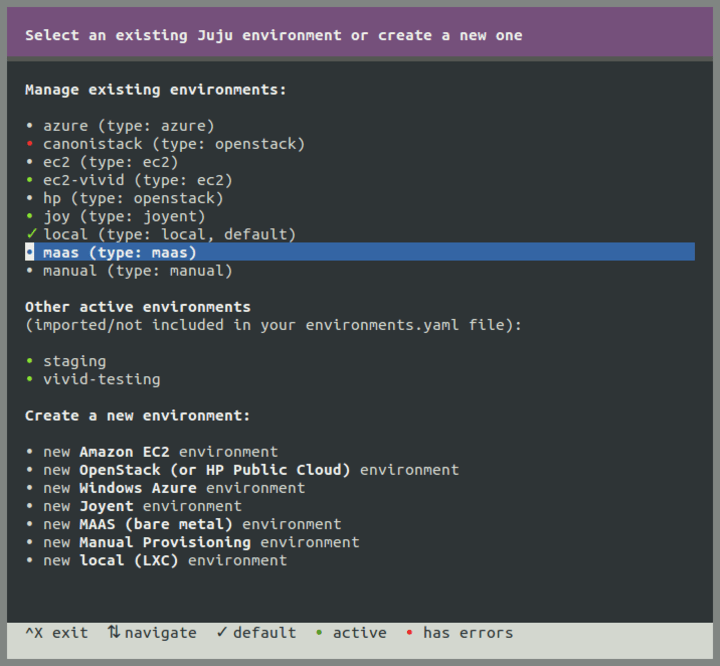 From the last update on this blog, we introduced several new features like support for the Google Compute Engine provider (which increases to 9 the number of supported providers) and updates to environments’ definitions, together with other minor improvements and bug fixes.
Here are the release notes for version 2.2.0:
- Add support for loading uncommitted bundles on the Juju GUI.
- Allow configuring the Juju GUI so that it listens to a customized port.
- On existing environments, automatically detect the port used by the GUI server.
- Fix SSH agent handling when using uncommon shells.
From the list above, there are two noteworthy changes we would like to highlight.
Support for uncommitted bundles
With the release of Juju GUI 1.4.0 it is now possible to import a bundle into the GUI canvas as a set of changes to be committed later. This way the bundle can be finely tuned and tweaked before actually committing the changes. For instance, you can modify scalability settings, machine placements, configuration options and constraints for each individual service, and even the resulting topology itself, so that the workload really fits your needs, and, only at that point, send the resulting changes to the Juju environment.
This functionality is now available from the command line too, thanks to the new Juju Quickstart’s
-u (or –uncommitted) flag.
You can use it like the following:
juju-quickstart -u openstack-base
The command above will not automatically start the bundle deployment, but instead the provided bundle will be loaded in the GUI, waiting to be customized and then committed.
For more about uncommitted bundles, have a look at this blog post.
Customized Juju GUI ports
The Juju GUI, by default, listens for HTTPS connections on port 443. It also redirects insecure requests (port 80) to port 443. Sometimes it can be useful to configure the GUI so that it listens to a different port. For instance, this is handy when you want to co-locate another web service on the same machine.
Juju Quickstart now provides the ability to directly specify a customized port for the GUI, e.g.:
juju-quickstart --gui-port 4242
On subsequent Quickstart runs, the application will automatically detect that the GUI is listening to the customized port and react accordingly, by establishing WebSocket connections to that port, and by opening the browser to the right URL at the end of the execution.
Installation
The program is available on Ubuntu releases 12.04 LTS (precise), 14.04 LTS (trusty), 14.10 (utopic), 15.04 (vivid) and on OS X (10.7 and later). To install and start Juju Quickstart on Ubuntu, run these commands:
sudo add-apt-repository ppa:juju/stable
sudo apt-get update && sudo apt-get install juju-quickstart
juju-quickstart [-i]
On OS X, use Homebrew:
brew install juju-quickstart
juju-quickstart [-i]
For more details, see juju-quickstart –help
Enjoy!